Which tool do I need?
| You want to… | Use | Good to know |
|---|---|---|
| Find out what a picture file contains: location, camera, date, copyright, generation settings | Image Metadata Viewer | Exports JSON or CSV. It does not decode every maker-specific block. |
| Remove the location and other hidden data before sharing | Image Metadata Remover | JPEG, PNG, WebP and GIF, without re-compressing the picture. Many files at once. |
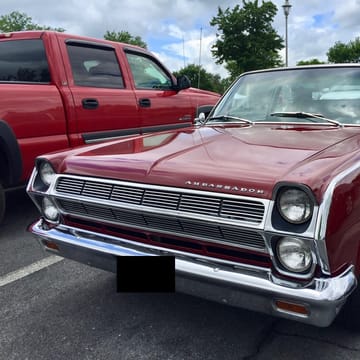
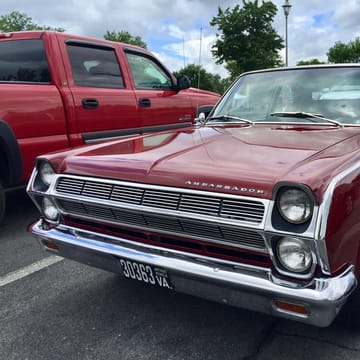
| Hide a face, a name, a number or a license plate in the picture | Blur & Redact | Blur, pixelate or a solid box. A Find faces button marks faces it can see. |
| Send files so that only someone with the password can open them | Encrypted ZIP Maker | AES-256 ZIP, or 7z, which hides the file names too. Read its storage notice (below). |
What a picture gives away
A picture can reveal things in four different places, and each place needs a different tool:
| Where | Examples | Tool |
|---|---|---|
| Hidden data in the file (EXIF, XMP, comments, Content Credentials) | GPS location, the camera or phone, the time the photo was taken, copyright text, AI generation settings | Viewer to see it, Remover to take it out |
| What is visible in the picture | A face, a name tag, a house number, a license plate, a street sign, a screen | Blur & Redact |
| The file's name | A file called after a street, a person or a venue | Rename it (the bulk resizer has a rename pattern) |
| Who can open the files | Anyone who gets the file or the ZIP | Encrypted ZIP Maker |
Before you share a picture
- Look first. Open it in the Metadata Viewer and see whether it carries a location, and what else.
- Cover what is visible. Use Blur & Redact on faces, names and numbers. For anything that must not be recoverable, such as an account number, a password or a license plate, choose the solid box: it covers the area completely, with nothing underneath, while a blur or a mosaic can sometimes be partly undone, text especially. The blurred picture is saved as a new file without the original's metadata.
- Strip the hidden data from the other pictures with the Metadata Remover. It drops the metadata blocks and keeps the picture's pixels as they were, and each result is scanned again to confirm.
- Check the result in the viewer once more.
- Lock the files in an encrypted ZIP if you are sending them to one person.
The step-by-step version for phones and computers is in our guide on removing location data from photos, and EXIF data explained covers what each field means.
What none of this covers
Stripping hidden data does not hide what the picture shows. A distinctive skyline, a shop front or a view from a window can give a place away without any coordinates, and a file named after a street does the same. Some editors leave an old thumbnail inside a cropped photo, which a full strip drops but a GPS-only removal does not. Some messaging apps and social networks remove metadata and others keep it, and that changes over time, so strip first if it matters. Cleaning a file also does not recall copies you already sent.
For Content Credentials and invisible watermarks, which are a different matter from ordinary metadata, our guide on content credentials and watermarks explains what each signal can and cannot show.
Choosing the lock for your files
| Choice | Strength | File names visible? |
|---|---|---|
| AES-256 ZIP (default) | Strong modern encryption, as long as the password is good | Yes, in a ZIP the names can be read without the password |
| 7z archive | The same AES-256, with a much heavier password-to-key step | No, the names are hidden too |
| Compatible (ZipCrypto) | The 1990s scheme, weak: only for tools that cannot open anything else | Yes |
Read this before you use the Encrypted ZIP Maker: the ZIP or 7z is built inside your browser tab, but the files you add on that page are also uploaded to and stored on our server, encrypted with a key we hold. The password you type and the finished archive are never sent. So the password protects the file you share, not the stored copies, and files that are truly confidential do not belong on that page. The tool's page explains this in full.
Limits to keep in mind
- The Metadata Viewer does not decode maker-specific blocks (MakerNotes), and cannot detect invisible pixel watermarks or read visible ones.
- The Metadata Remover works on JPEG, PNG, WebP and GIF files, and on stills, not video.
- Find faces in Blur & Redact uses a small detector made for photographs of real people: it misses small, turned-away and covered faces, so check every picture and mark any it missed by hand.
- A password is only as strong as you make it. The ZIP maker can generate a strong one for you.
Where the work happens
The viewer, remover and blur tools do their work inside your browser tab, and your files on disk are never changed or deleted. For exactly what this site collects and keeps, including the pictures you add to a tool, read our privacy policy. How in-browser processing works is covered in our guide.
Frequently asked questions
How do I remove location data from a photo?
Use the Image Metadata Remover: drop the photos in, and download copies with the GPS location, camera details and other hidden data removed, without re-compressing the picture. Check one in the Metadata Viewer afterwards. Our guide also shows how to stop your phone adding location in the first place.
Is a blurred face safe?
A strong blur hides a face for most purposes, but a light blur or a mosaic can sometimes be partly undone. For text, numbers and license plates, use the solid box in Blur & Redact: there is nothing underneath it.
Does removing metadata change the picture?
Not the pixels. The Image Metadata Remover drops the metadata blocks and writes the rest of the file as it was, so a JPEG is not compressed a second time. The result is usually a little smaller.
Do social networks remove metadata for me?
Some do, some do not, and it changes over time. Do not rely on it: strip the data first if it matters.
Which is more secure, ZIP or 7z?
The 7z option: it uses the same AES-256 with a much heavier step that turns the password into a key, and it hides the file names, which a ZIP does not. A ZIP is more widely supported. Avoid the Compatible (ZipCrypto) option unless a program cannot open anything else.
Are the files I add to the Encrypted ZIP Maker kept?
Yes. The files you add on that page are uploaded and stored on our server, encrypted with a key we hold; the password and the finished archive are not sent. Do not add files you would not want stored on a server. See the tool's page for the full explanation.
Can I see whether a picture was made by AI?
The Metadata Viewer shows generation settings and Content Credentials when a file still carries them. No tool can say for certain, because that data is easily removed: see our guide.