.jpg)
How to make a photo background white
- Add your photos. Drop one or many anywhere on the page, paste one, or click the box to choose files. Phone photos, including iPhone HEIC, work too.
- Wait for the product. The first time, the page downloads a model (44 MB, kept by your browser). Then each picture takes about nine seconds on our test computer. The preview appears when the product has been found.
- Choose the frame. A size (2000, 1600 or 1000 pixels on the longer side), a shape (square, or the shape of the photo) and how much of the frame the product should fill.
- Check the preview, then press Make the picture. Each result line says how big the file is, how much of the frame the product fills, and whether the background is exactly the color you chose. Download each picture, or all of them as a ZIP.
Your original files are never changed. Each result is named after its photo with -white added.
What shops ask for
The rules differ by shop and they change, so this is what we found on 19 October 2026 and not a promise that a picture will be accepted. Amazon's own help pages could not be read by our tools, so its figures come from posts by Amazon staff in the Seller Forums and from guides that agree with them; eBay's and Etsy's come from their own help pages.
| Shop | Background | Size | How much the product fills |
|---|---|---|---|
| Amazon, main picture (Seller Forums post) | Pure white, red 255, green 255, blue 255. No text, logos, watermarks or borders on a main picture. | At least 1000 px on the longest side so that zoom works; 1600 px or more is best. | 85% or more of the frame. |
| eBay (picture policy, photo tips) | A white background is generally best; a darker one can suit shiny things such as jewelry. It is a recommendation. | At least one photo of 500 px on the longest side; about 1600 × 1600 is recommended. | Not stated as a number. |
| Etsy (image requirements) | We found no background rule on the page. | At least 2000 px wide is recommended. Etsy's pages disagree about the shape of a listing photo (older ones say 4:3, newer ones say to make photos that survive both square and rectangular crops). | Not stated as a number. |
So the defaults, a 2000 × 2000 square with the product filling 85% on exactly 255, 255, 255, are what the Amazon figures describe, and they are also a safe, large picture for the other two. The page does not check anything else a shop may require: no text or logos in the picture, the product out of its packaging, the right number of pictures, or a rule about shadows. We could not confirm what Amazon allows for shadows, which is why the floor shadow is off by default.
What the settings do
| Setting | What it changes |
|---|---|
| Frame size | The longer side of the saved picture: 2000, 1600 or 1000 pixels. A photo that is smaller than the frame is enlarged, and the result line says it is a little soft. |
| Frame shape | Square, or the same shape as the photo, which keeps a 3:2 photo at 3:2. |
| Product fills | How much of the frame the product's box takes up along the side where it is relatively longest, from 50% to 100%. 85% is the default. At 100% the product touches the edge and the result line says so. |
| Background | White (255, 255, 255) by default. Any other color works, and the note under it says when it is not white. |
| Floor shadow | A soft gray contact shadow under the lowest part of the product, off by default. It is drawn from the product's footprint: it looks natural for things that stand on a surface, and it is not a real shadow. |
| Trim the edge | How far the cut is pulled in from the model's edge (given for a 1000-pixel frame, 1.5 by default). It removes the fringe of the old background that fur, hair or a rough cut leaves, and it removes very thin parts if you raise it. |
| Edge | How sharp the cut is: a nearly hard edge to a soft blend. |
| Picture type | Photo or object (the default) or Drawing or anime. |
| Save as | JPEG (quality 95 by default) or PNG. |
How it works, and what we measured
A segmentation model, a neural network that decides for every pixel whether it belongs to the main subject, finds the product. It is the model of the Background Remover: IS-Net "general use", an 8-bit version, MIT license, 44 MB, downloaded once from Hugging Face and kept by your browser. The rest is plain image maths on your picture, checked against a separate implementation in Python (numpy and scipy): the cut is scaled so that the product's box fills the share you chose, the product's own colors at its soft edge are estimated so that no halo of the old background is left (the "blur fusion" foreground estimate described by Marco Forte in 2021, which we wrote ourselves from the published method), and the product is laid over the color.
We checked the results on the saved files, not on the preview:
- The background is exact. In the outer strip of the frame (1.5% wide) every pixel was exactly 255, 255, 255 in the JPEG files of three test photos at every quality we tried, from 70 to 100, and in the PNG files. Flat white encodes exactly, so quality only changes the product, not the white around it.
- The product fills what you ask. With 85% chosen, the products measured 84.7% to 84.8% of the frame in the saved files; with 70% chosen, 69.8%; with 100%, 99.9% to 100%. (We measured the box of every pixel that is clearly not the background color.)
- The preview is the file. The 800-pixel preview and the saved 2000-pixel file shrunk to 800 differ by a mean of 1.3 levels out of 255.
What works well, and what does not
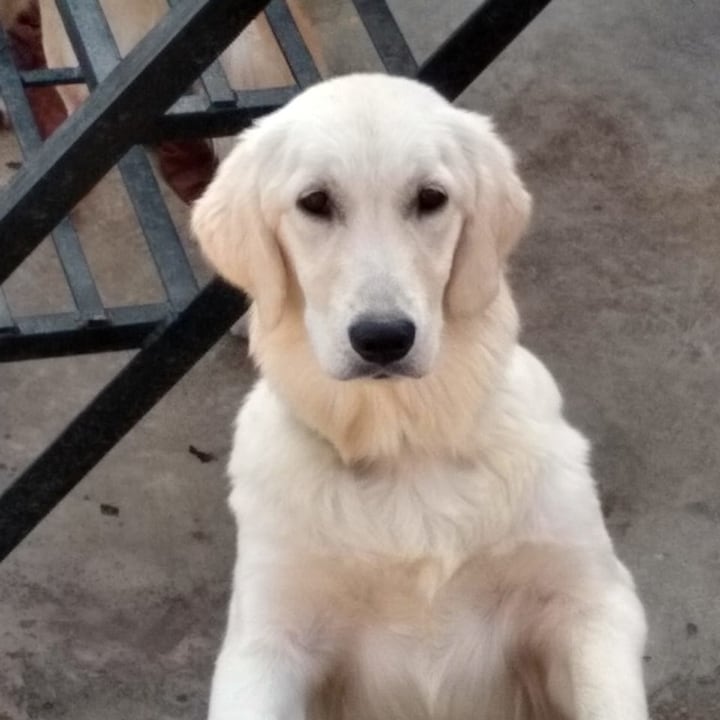
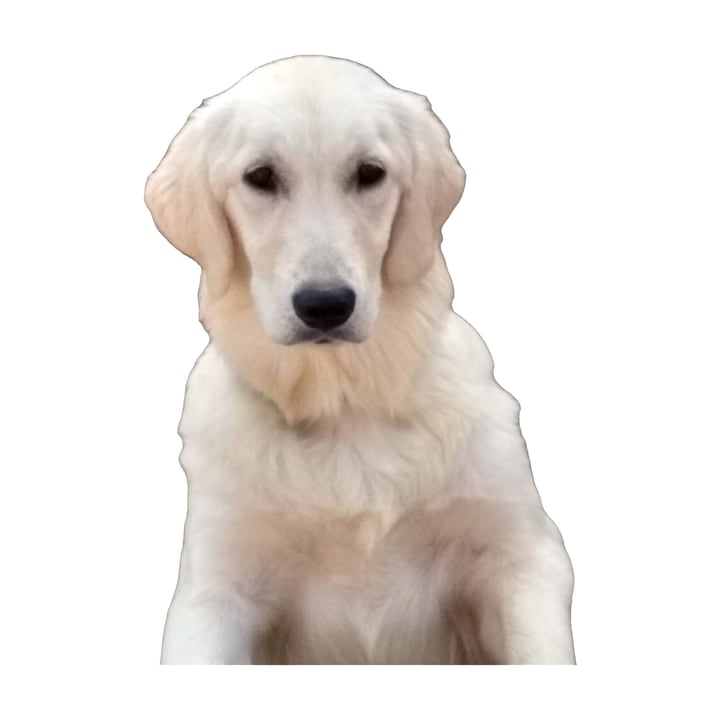
- Works well: a product, toy, pet or object that clearly differs from what is behind it. A pair of headphones came out with its thin metal band and the cables, a cream-colored retriever against a gray wall came out cleanly, and a bicycle kept its spokes at a low trim.
- Hair and fur against a busy background: the tips keep a little of the old background's color, and on pure white that shows. A retriever against green leaves kept a green fringe along the top of its head, which a higher trim reduced but did not remove.
- Several things in the picture: the model may keep all of them or the wrong one. In a test photo, a car in front of a truck came out with bits of the truck, and a cat on a sofa came out with parts of the sofa. Crop the picture so that your product is the obvious subject.
- A product that runs off the edge of the photo: it has a straight edge in the result. Nothing is drawn that is not in the photo.
- Glass, mirrors and shiny things: a model cannot know what should be see-through. Check these by eye. We did not test white products against white backgrounds.
- The picture type is your choice. The Background Remover guesses it from how flat the picture is, but a product photo on a pure white backdrop looks flat too, and the drawing model found nothing in a headphone photo (we tried). Here Photo or object is the default.
Size, speed and limits
- Speed. Finding the product takes about nine seconds per picture on our test computer, once the model is downloaded; phones and older computers take longer. After that, a 2000-pixel picture is made in about 0.6 seconds, and the preview in 0.1.
- Frame size. 2000 × 2000 is 4 megapixels, and the file is usually between 200 KB and 400 KB as a JPEG at quality 95 in our tests.
- Big pictures. A picture over 16,384 pixels on a side is refused with a message. The model looks at a 1024 × 1024 version of your picture, so the outline of the cut cannot be sharper than that allows.
- See-through pictures. A PNG that is already see-through keeps its see-through parts, and they become the background color.
Where the work happens
- The pictures are made inside this tab. The page downloads a model from Hugging Face the first time you use it, and your files on disk are never changed or deleted.
- For what this site collects and keeps, see our privacy policy.
Frequently asked questions
How do I make the background of a photo pure white?
Add the photo and press Make the picture. The page cuts out the product, centers it in a square frame and puts it on a background of exactly 255, 255, 255. The result line confirms it by looking at the saved file.
What does Amazon want for the main picture?
From posts by Amazon staff in its Seller Forums: a pure white background (RGB 255, 255, 255), the product filling 85% or more of the frame, at least 1000 pixels on the longest side so that zoom works (1600 or more is best), and no text, logos, watermarks or borders. Rules change, so check Amazon's current page. The defaults of this page match those figures.
Is the white really 255, 255, 255 in a JPEG?
In our tests, yes: the border of the frame was exactly 255, 255, 255 in JPEG files saved at every quality from 70 to 100, because a flat white area encodes exactly. Around the product the compression can change pixels slightly, as it does in any JPEG. Choose PNG if you want no compression at all.
Why is my product not centered or not as large as I set?
The size is measured on the box around everything the model kept. If the model kept something extra, such as a neighbouring object, the box is bigger and the product itself looks smaller. Crop the photo so the product is the obvious subject.
Can I keep a shadow?
The Floor shadow slider adds a soft contact shadow under the product. It is off by default because we could not confirm what each shop allows. It is drawn, not the real shadow of your photo, which the cut removes with the background.
Can I use a color other than white?
Yes: pick any color under Background. The note under it says when it is not white, and the result line then reports whether the background is exactly the color you chose.
Why does the fur or hair have a colored fringe?
The model's cut is not perfect on fur and hair, and the tips keep some of the old background's color. Raise Trim the edge to pull the cut inward, or use a photo with a calmer background.
Can I do many photos at once?
Yes. Add as many as you like, check them one by one with the arrows, and press the button once. Each photo takes about nine seconds to find its product. Download each result or all of them as a ZIP.
Is my photo sent anywhere to be cut out?
The cutting is done in your browser tab; the model is downloaded to it. For what the site collects and keeps, see our privacy policy.