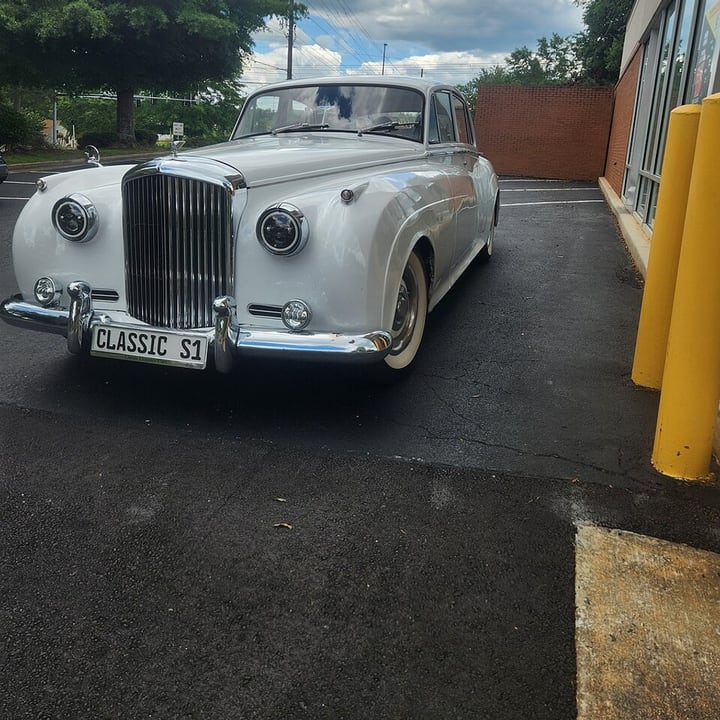
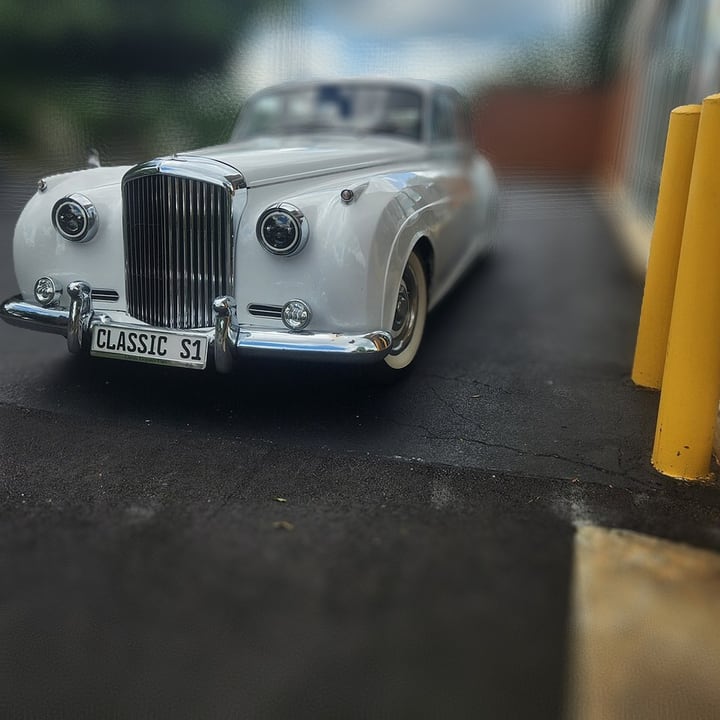

How to blur the background of a photo
- Add a photo. Drop it anywhere on the page, paste one, or click the box to choose a file. A phone photo, including iPhone HEIC, works too.
- Wait for the model. The first time, the page downloads a model (94 MB for depth, 44 MB for the subject) and your browser keeps it. Measuring the depth takes about three seconds on our test computer, finding the subject about nine.
- Choose what stays sharp. In Lens blur, click the picture where the focus should be: a face, a flower, a car. The circle on the picture shows the point. In The subject, there is nothing to click.
- Adjust the blur. How much, the shape of the aperture, how much bright spots bloom, and how wide the sharp zone is.
- Press Download the picture. It is saved at the picture's own size, up to 4096 pixels on the long side, as JPEG, PNG or WebP.
Your original file is never changed. The saved file is named after the picture with -blurred added. Holding Hold to see the original shows the picture without the blur, and Depth map shows what the depth model measured, with near things light and far things dark.
The two modes
| Mode | How it decides what to blur | Good for | Watch out for |
|---|---|---|---|
| Lens blur (by depth) | A depth model, Depth Anything V2 Small, measures how near everything is. You click what is in focus. The farther a pixel's depth is from that, in either direction, the larger its blur. The blur grows gradually, as it does with a real lens. | Landscapes, streets, objects at an angle, a portrait with a floor in front: anything where distance changes across the picture. | The depth is a model's estimate. Thin things (wires, spokes, whiskers), glass and reflections can get the wrong blur, and a subject that is long in depth, such as a car seen at an angle, is partly blurred unless you widen the sharp zone. |
| The subject | The background model of the Background Remover finds the main subject. The subject is left sharp and everything else gets the same blur, with a soft edge. | A person, pet or product against a background: the portrait-mode look. | The model decides what the subject is. Thin parts it misses, such as cables, are blurred away with the background. |
What the settings do
| Setting | What it changes |
|---|---|
| Blur | The largest blur radius, from none to 6% of the picture's shorter side (so a 1000-pixel picture blurs by up to 60 pixels). At 0% the picture is unchanged. The size is relative, so the preview and the saved file look alike. |
| Aperture shape | The shape of the blur: Round, or Hexagon, like a lens with six blades, which draws bright spots as hexagons. |
| Bright spots | How much extra weight very bright pixels get in the blur, up to 9 times at 100%. Lights and reflections in the background then bloom into soft circles instead of being averaged away, the way real bokeh looks. |
| Sharp zone (Lens blur) | The depth range around the focus point that stays completely sharp, from none to 30% of the picture's depth range. At 12% (the default) a person stays sharp but a car at an angle is partly blurred. At 30% most of the car is sharp. |
| Blur things in front too (Lens blur) | On: things nearer than the focus blur as well, as with a real lens. Off: only what is behind the focus blurs. |
| Edge, Trim the edge, Picture type (The subject) | How soft the subject's edge is, how far the cut is pulled in, and which model looks for the subject: Photo or object (the default) or Drawing or anime. |
How it works, and how we checked it
A lens blurs each point of the scene into a disc whose size depends on the distance from the plane in focus. This page does the same thing in two steps. First it makes a map of disc radii: from the depth, a radius that grows with the difference between a pixel's depth and the depth you clicked (the depth model returns "nearness", and for a thin lens the blur really is proportional to the difference of that), or from the subject, the same radius everywhere in the background and none on the subject. Then every pixel averages 48 samples spread over its disc, round or hexagonal, and a sample counts only if its own disc reaches that pixel. That rule is what keeps a sharp subject from smearing into the blurred background, and lets a blurred foreground still spread over what is behind it.
We checked the blur against a separate implementation in Python (numpy) on real pictures with real depth maps and real masks: the results are identical, and every pixel whose radius is below half a pixel is left exactly as it was. On the page we measured, on a photo of a retriever against leaves: with the focus on the dog, the leaves came out 3.6 times less sharp than in the original while the dog stayed within 15% of its original sharpness. Clicking the leaves instead made them 5.7 times sharper than before and the dog 4 times blurrier. Widening the sharp zone from 0% to 60% raised the share of the picture left untouched from 5% to 47%. Raising Blur from 30% to 60% to 100% changed the picture more each time. The saved file matched the preview with a mean difference of one level out of 255.
What works well, and what does not
- Works well: a subject that is clearly nearer than its surroundings: a pet or person against trees, a car in a lot, a flower in a garden, a street. Landscapes get a tilt-shift look.
- Depth is an estimate. The depth model knows how things are arranged, not how far they are in meters. On a bicycle against a wall, the frame came out partly blurred because the model's depth is rough for thin, angled parts. In Lens blur mode, check the Depth map view if something looks wrong.
- Edges. Where a sharp subject meets a blurred background the blur follows the depth map, which is a little softer than the real edge. A subject with fine hair against a similar background can show a thin halo.
- Thin things in The subject mode. A headphone cable that the subject model misses is blurred away with the background.
- It does not know what is behind the subject. The blur only uses what is visible, which is also what a camera does, so this is rarely visible.
- This is a simulation. Blur 100% is a radius of 6% of the shorter side, not an f-number. Use it to make a photo look the way you want, not to reproduce a particular lens.
To blur faces or details so that they cannot be seen, use Blur Image. To keep one particular object you click, and blur the rest, Cut Out Object has a "Blur the rest" output.
Size, speed and limits
- Speed. Measuring the depth takes about 3.3 seconds per picture on our test computer, once the model is downloaded; finding the subject takes about nine. After that, moving a slider redraws the 900-pixel preview in 0.2 to 0.5 seconds, in a separate worker so the page stays smooth. Saving a 4096 × 3072 picture took about two seconds. Phones and older computers are slower.
- Size. A picture is worked on and saved at up to 4096 pixels on the longer side; a bigger one is made smaller and the page says so. A picture over 16,384 pixels on a side is refused with a message. The blur itself is made at up to 1600 pixels and enlarged to the full size, mixed with the sharp full-size picture where the blur is small, so the parts that stay sharp keep every pixel of your original.
- One picture at a time. The point in focus is chosen on a particular picture.
- See-through pictures are put on white first.
Where the work happens
- The blur is made inside this tab. The page downloads a model from Hugging Face the first time you use a mode: Depth Anything V2 Small (Apache-2.0) for Lens blur, or the IS-Net models of the Background Remover for The subject. See Credits. Your file on disk is never changed or deleted.
- For what this site collects and keeps, see our privacy policy.
Frequently asked questions
How do I blur the background of a photo?
Add the photo. In Lens blur, click what should stay sharp and set Blur; in The subject, the page keeps the main subject sharp by itself. Then press Download the picture.
What is the difference between the two modes?
Lens blur uses a depth model, so the blur grows gradually with distance from the point you click, like a camera lens. The subject finds the main subject and blurs everything else the same amount. Use Lens blur for scenes and objects at an angle, and The subject for a portrait of one pet, person or product.
Why is part of my subject blurred?
In Lens blur, a subject that is long in depth, such as a car seen at an angle, has parts at different distances. Widen the Sharp zone, click the middle of the subject, or switch to The subject.
What does the Depth map view show?
What the depth model measured: near things light, far things dark. If a part of the picture is the wrong shade, that part will get the wrong blur. Thin things, glass and reflections are the usual trouble.
What are bright spots and the hexagon shape?
In a photo with a very shallow depth of field, small bright lights in the background are drawn as soft discs, and with a lens that has six blades, as hexagons. Bright spots gives bright pixels extra weight so that they bloom like that, and Hexagon changes the shape of the disc.
Does it blur the foreground too?
In Lens blur, yes by default: things nearer than the focus blur as well, as with a real lens. Switch off Blur things in front too to blur only what is behind the focus.
Can I use it on a drawing or an anime picture?
The subject mode has a Drawing or anime picture type that uses the drawing model. Lens blur works on whatever the depth model can read; flat artwork has little real depth, so The subject mode usually suits it better.
Does it keep the quality of my photo?
Yes where the picture stays sharp: those pixels are the original ones. The blurred parts are made at up to 1600 pixels and enlarged, which is fine for a blur. Pictures over 4096 pixels on the long side are made smaller.
Is my photo sent anywhere to be blurred?
The blur is made in your browser tab; the models are downloaded to it. For what the site collects and keeps, see our privacy policy.